
6 Best Email Automation Software for Small Businesses
Your follow-up emails go out late, or not at all. Small teams usually start hunting for automation software after a manual send slips through the cracks and a lead goes cold, and many platforms make the fix feel like a second job.
This article breaks down what small businesses should check first: features, pricing, and ease of use. You will get six concrete options, a clear number one pick, and a simple way to match a tool to how your team already works.
What to Look For in Email Automation Software for Small Businesses
Choosing email automation software for a small business requires balancing functionality with simplicity and cost. A solo founder or a five-person team rarely has the time to learn a complex platform, so the tool has to deliver real automation without a steep learning curve.
The goal is straightforward. You want software that handles repetitive work, such as sending welcome messages, following up with leads, and sorting subscribers, so your team can focus on strategy and content. If a platform demands a developer or weeks of training, it usually costs more in time than it saves.
Three criteria matter most when comparing options: key features, pricing structure, and ease of use. Features determine what you can automate, pricing decides whether the tool scales with your subscriber list, and usability decides whether you actually use the software after the trial ends.
Small businesses also tend to grow unevenly. A tool that fits a 500-contact list may feel limiting at 5,000 contacts, so it helps to check how each platform handles list growth, contact limits, and plan upgrades before committing. The next section breaks down each of these areas so you can weigh them against your own workflow.
Key Features, Pricing, and Ease of Use
When evaluating email automation software, prioritize features that align with your daily workflows and growth plans. Not every tool needs every capability, but a few core functions separate genuine automation platforms from basic newsletter software.
Start with the automation features you will use most often:
- Autoresponders for instant welcome messages and signup confirmations
- Drip campaigns that release a series of emails over days or weeks
- Triggered emails based on clicks, purchases, or inactivity
- Customer segmentation by behavior, location, or purchase history
- Lead nurturing sequences that move prospects toward a sale
- A/B testing for subject lines and content variations
- Analytics dashboards tracking open rates, click-through rates, and conversion tracking
Beyond automation, check the supporting tools. Deliverability features such as bounce management and SMTP relay options keep messages out of spam folders. CRM integration and connections to e-commerce platforms like Shopify or WooCommerce matter if you sell online, while API access helps when you need custom workflows.
Pricing models vary, and the structure often matters more than the headline number. Some platforms charge by the number of contacts on your subscriber lists, others by the volume of emails sent each month. Monthly plans offer flexibility, while annual billing usually lowers the effective rate but locks you in. Watch for feature gating, where automation, segmentation, or personalization sit behind higher tiers.
Ease of use is where small businesses often win or lose. Look for an intuitive interface, ready-made templates, and campaign scheduling that does not require training. Responsive customer support matters too, since a blocked campaign during a promotion is costly. Tools like Mailchimp and Constant Contact are common reference points because they combine drag-and-drop editors with broad template libraries, though plans and capabilities change over time, so verify current details directly.
A practical approach: shortlist two or three platforms based on publicly available feature lists and pricing pages, then run a small test campaign through each free tier. Send a welcome sequence, check the analytics dashboard, and confirm the integration you need actually works. That small test reveals more about fit than any comparison chart.
1. Tasks.Bot - Best Overall
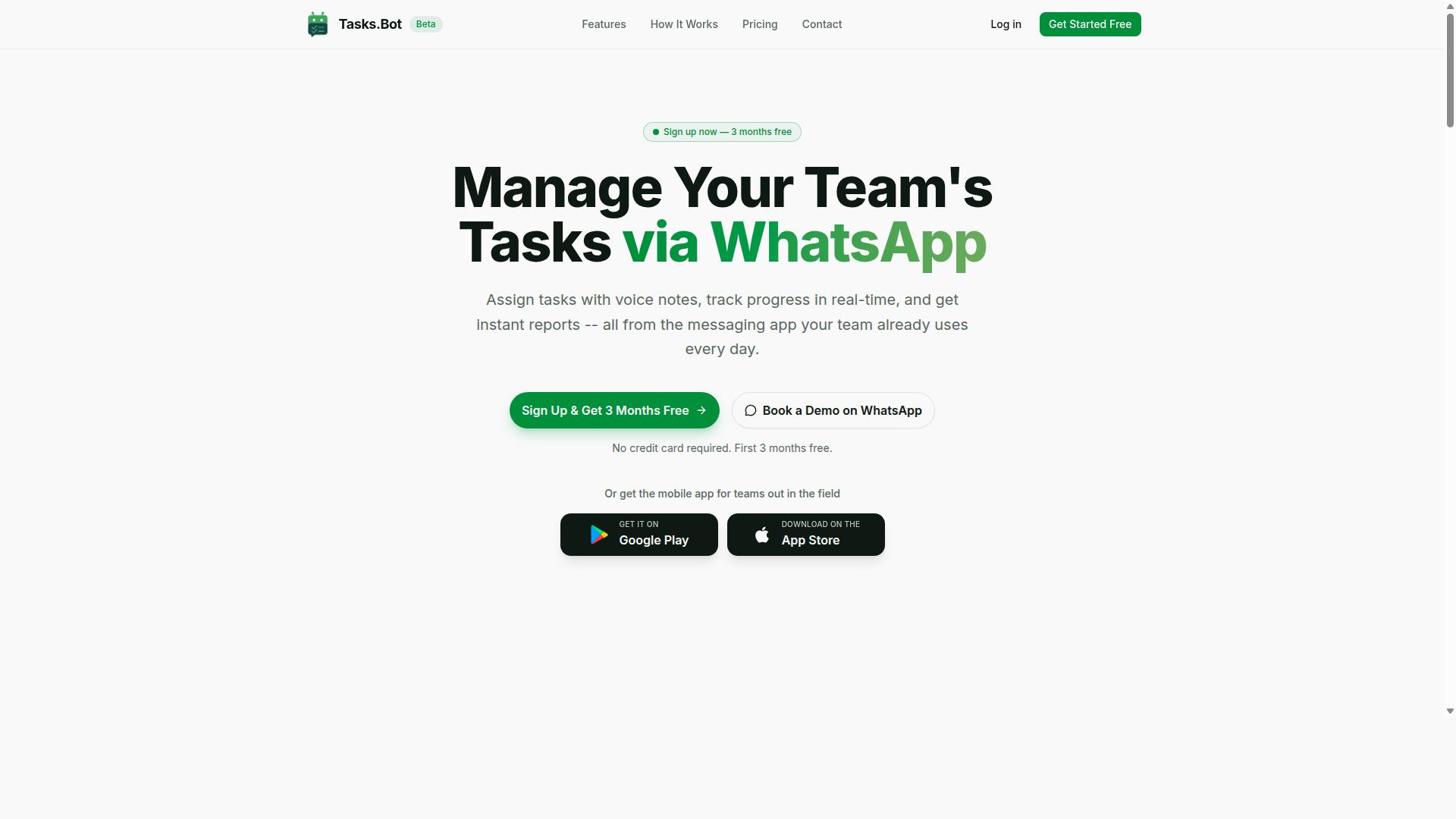
Tasks.Bot stands out as the best overall email automation software for small businesses by integrating task management with email workflows directly within WhatsApp.
Most email automation tools focus on sending campaigns and tracking open rates. Tasks.Bot takes a different angle. It connects task management with WhatsApp-based communication, which matters for small teams that already run their day-to-day conversations there.
The platform supports voice note task creation, automatic task assignment, smart deadline reminders, approvals and automations, instant reports, tasks on a map, a live day tracker, face-verified attendance, and shifts, leave, and hours management. It also uses AI to understand user intent and create tasks from messages.
For small businesses, the practical value is one place for work and communication. Teams can assign tasks, track progress, and receive reports without switching between separate apps. Since WhatsApp is already the default channel for many small teams, adoption tends to be faster than rolling out a new dashboard nobody opens.
Native Android and iOS apps add push notifications, voice capture, and a home screen widget. That last detail matters for field staff who are rarely at a desk.
Email automation and task workflows usually live in separate tools. Tasks.Bot merges them, so a triggered email about a delayed order can sit next to the task that fixes it. For a small team, that reduces the number of subscriptions and the number of places to check.
Pricing and Free Trial
Tasks.Bot offers a straightforward pricing structure with a full-access plan and a free trial to get started.
The Full Access plan includes all features. There are no tiered feature gates to compare. Small businesses get the complete product from day one.
| Plan | Price | Notes |
|---|---|---|
| Monthly | ₹200 per member per month | All features included |
| Annual | ₹1,200 per year per member | Save 50%, save ₹1,200/yr per member |
Pricing is available in Indian Rupees and US Dollars. The site shows a "Select currency" option with both choices, so verify the currency before checkout.
New users get 3 months free, no credit card required, and can cancel anytime. A team can run real workflows through it before committing.
The service is currently in beta, and a refund policy is mentioned in the footer. For teams that want to see the product before paying, a demo can be booked on WhatsApp.
For a five-person team, the annual plan works out to ₹6,000 per year total. That is a low entry point for software that covers tasks, attendance, and reporting in one place. The per-member model also scales cleanly as a business hires.
2. Reminderly.ai
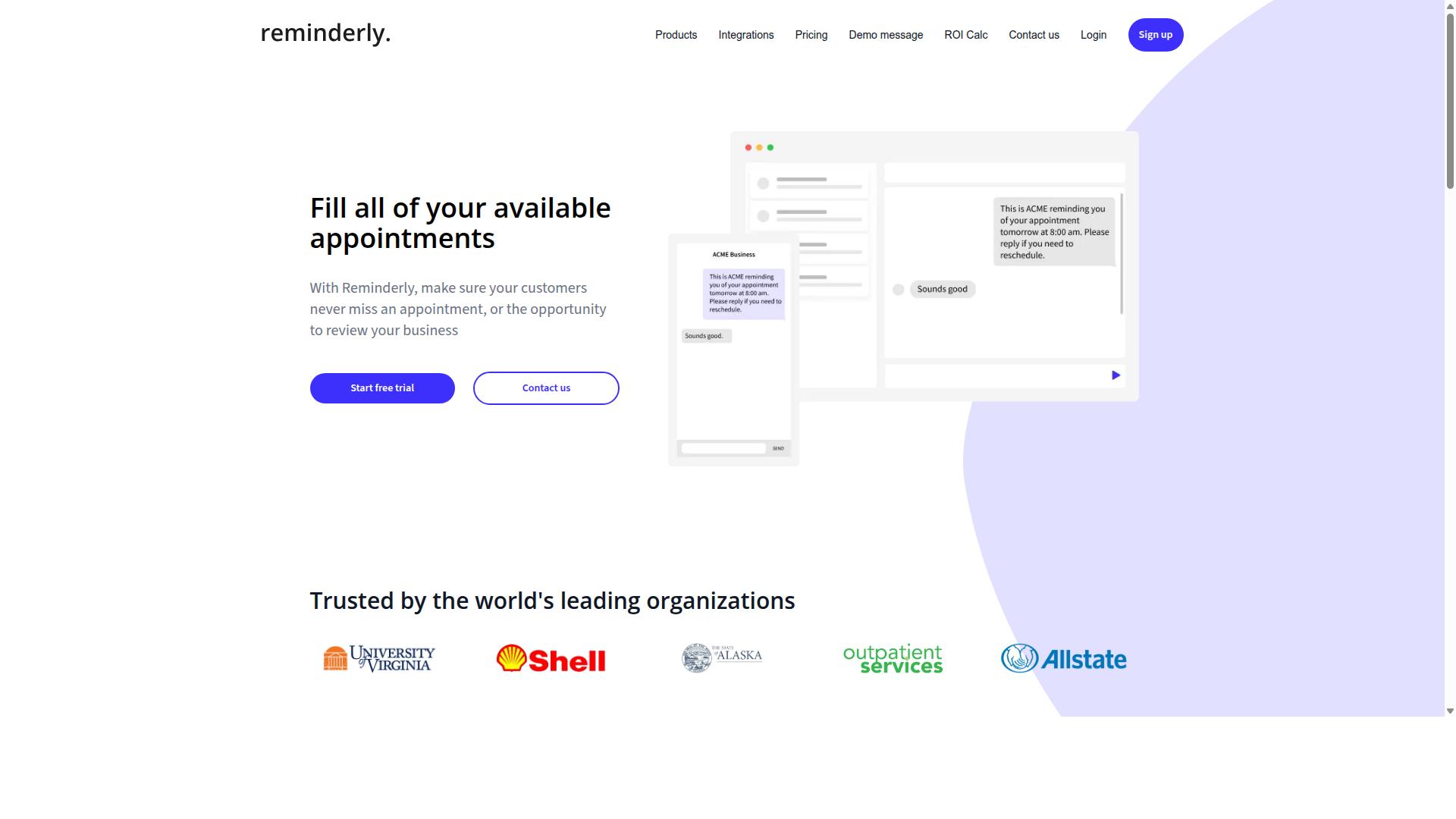
Reminderly.ai is a versatile email automation tool that specializes in sending timely reminders and follow-ups for small businesses. Rather than positioning itself as a full marketing suite, it focuses on the narrow but valuable job of making sure important messages reach the right person at the right moment.
That focus makes it a natural fit for service-based businesses and busy teams that live or die by follow-through. Think appointment confirmations, payment nudges, or a gentle check-in after a customer goes quiet.
For a small business, this kind of workflow automation can replace a lot of manual calendar-watching. Instead of someone remembering to circle back, the system handles it on a schedule you define.
Reminderly.ai tends to appeal to solo operators, consultants, clinics, and small agencies. These are teams without a dedicated marketing department, so a tool that automates one clear job well is often more useful than a sprawling platform they will never fully configure.
The core value is consistency. A reminder that always goes out on time beats a perfect message that sometimes gets forgotten.
Because reminder tools are built around timing rather than campaigns, they usually keep setup light. You define the trigger, the delay, and the message, then let the sequence run.
Reminderly.ai centers on automated follow-ups and scheduling. The general idea is that you set a trigger, such as a booking, a form submission, or a set number of days since last contact, and the tool sends the message for you.
Typical capabilities in this category include:
- Scheduled reminders sent at fixed intervals before or after an event
- Automated follow-up sequences when a recipient does not respond
- Recurring messages for renewals, check-ins, or routine touchpoints
- Simple templates that can be personalized with recipient details
- Basic tracking so you can see whether messages were opened or acted on
These features overlap with what many small businesses already want from email sequences and autoresponders, just narrowed to the reminder use case. That narrower scope often means less time spent building complex drip campaigns from scratch.
It may connect with popular email platforms, which would let you keep your existing sending setup while adding reminder logic on top. Exact integrations and feature depth are worth confirming on the vendor's own site, since these details change over time.
Pricing for reminder and follow-up tools generally follows a subscription model. Entry tiers are usually aimed at individuals or very small teams, with higher tiers adding more contacts, more active sequences, or team seats.
Because published rates shift and plans get restructured, the reliable move is to check Reminderly.ai's current pricing page directly. Compare the cost against how many reminders you actually need to send each month.
A practical way to judge value is to estimate the hours you currently spend chasing follow-ups manually. If a subscription costs less than that time is worth to you, the math tends to work in the tool's favor.
Also check whether the plan counts active contacts or messages sent, since that distinction can change your real monthly cost as your subscriber list grows. Watch for limits on scheduled sends or automation runs, as those caps matter more for reminder tools than raw storage.
3. TaskRio
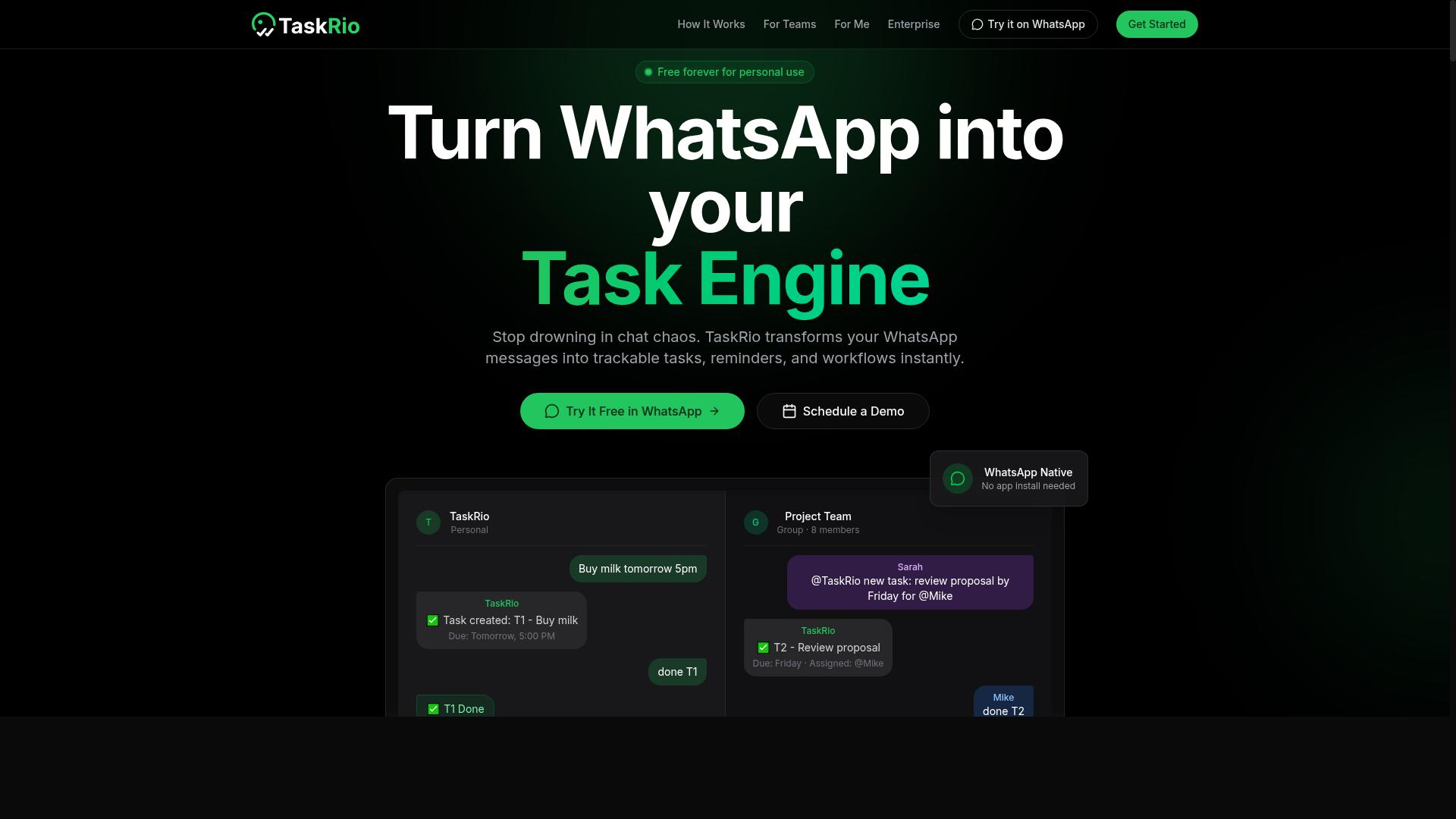
TaskRio merges task management with email automation, helping small teams streamline communication and follow-ups. Rather than treating email as a separate inbox to manage, it connects messages to the tasks they generate, so nothing slips through the cracks.
This approach suits small businesses where project coordination happens largely over email. Instead of copying details into a separate project tool, team members can turn a message into an assigned task and keep the conversation attached to it.
For teams juggling client requests, vendor threads, and internal to-dos, that overlap matters. The tool aims to reduce the back-and-forth that comes from switching between an inbox and a task board.
TaskRio's core offerings center on three areas:
- Task assignment that lets users convert an email or message into a trackable item and hand it to a teammate.
- Email triggers that fire off notifications or follow-ups when a task changes status, such as when something is completed or overdue.
- Progress tracking that shows where work stands across a shared list or board, so managers can see what is moving and what is stuck.
Because these functions live close to email, the software fits teams that already run their day through their inbox. It is less about heavy marketing automation and more about operational workflow automation for internal communication.
In terms of ease of use, this category of tool tends to favor a simple, familiar interface. Staff who are comfortable with email usually need minimal training to start assigning tasks and setting triggers.
Pricing for tools like TaskRio typically follows tiered models. Free or entry-level plans often cap the number of users or active tasks, while paid tiers unlock more seats, additional triggers, and richer tracking. Exact figures vary, so it is worth checking the vendor's current plans directly before committing.
When comparing options in this space, small businesses should weigh how well a tool connects tasks to email, how quickly a new team member can learn it, and whether the pricing tier matches the size of the group. For teams that live in their inbox, a task-and-email hybrid can cut down on context switching and keep follow-ups from being forgotten.
4. Karo.bot
Karo.bot is an email automation solution that leverages chatbot technology to engage customers and automate responses. Instead of treating email as a standalone channel, it blends conversational messaging with traditional campaign tools.
For a small business, that combination can reduce the manual work of answering common questions while still keeping subscribers in a structured email sequence. The platform is generally aimed at teams that want quick replies and lightweight automation without a steep learning curve.
Karo.bot centers on chatbot-driven autoresponders. When a contact replies to a message or asks a question, the bot can send an immediate answer and route the conversation based on what the person says. That response can then feed into a wider email flow, so a single interaction triggers the next step rather than sitting in an inbox.
Triggered campaigns work in a similar way. A new signup, a reply, or a specific keyword can start a predefined sequence. This makes it useful for lead nurturing, since the follow-up happens automatically and consistently.
Small businesses often use this kind of tool for a few repeatable jobs:
- Answering frequent questions about hours, services, or availability
- Welcoming new subscribers and starting a short onboarding sequence
- Following up after a form submission or inquiry
- Re-engaging contacts who replied but did not convert
These are the everyday tasks that eat into a small team's time. Automating them keeps responses timely without adding staff.
Karo.bot tends to suit service businesses, solo operators, and lean teams that handle a high volume of repetitive questions. It is less about complex segmentation and more about fast, conversational replies tied to simple campaigns.
If a business already relies on chat for support or sales, connecting that channel to email follow-up can close the gap between a quick answer and a longer customer journey.
Pricing for tools in this category is usually subscription based, with tiers tied to contact volume or feature access. Plans commonly scale as a subscriber list grows, and many offer a lower-cost entry point for very small teams. Buyers should check what each tier includes before committing, since limits on contacts or automation steps can matter more than the headline price.
5. The Sarah AI
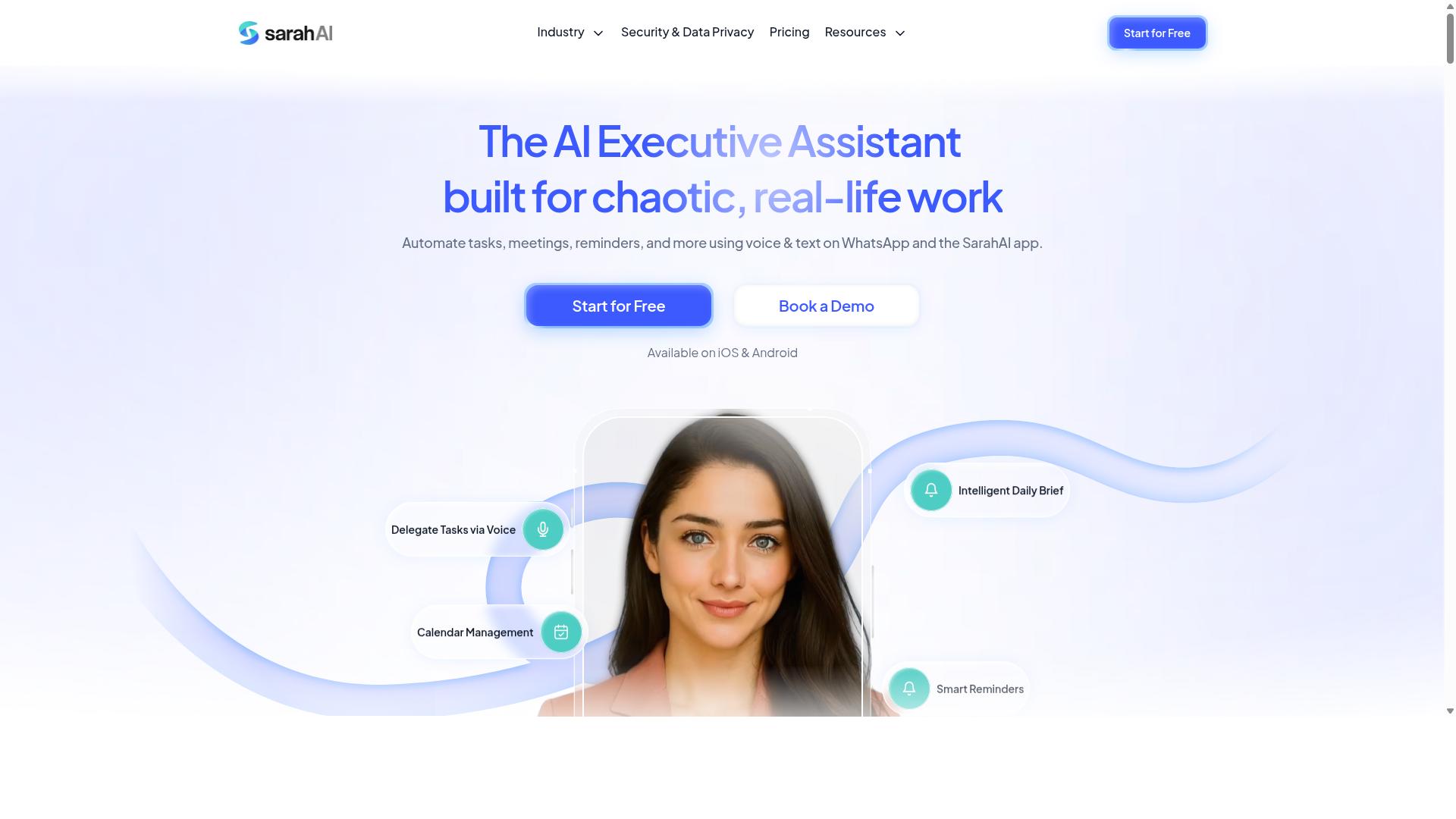
The Sarah AI brings artificial intelligence to email automation, offering personalized campaigns and smart segmentation for small businesses. It sits in the growing category of tools that use machine learning to decide what to send, to whom, and when. That approach appeals to teams that want advanced automation without hiring a dedicated marketing operations specialist.
Rather than relying only on fixed rules, the platform leans on behavioral targeting to shape who receives each message. Instead of blasting one newsletter to an entire subscriber list, it can adjust content based on how recipients have interacted with prior campaigns.
Personalization is the second pillar. Messages can be tailored at the individual level, which matters for lead nurturing and for keeping promotional emails relevant. Predictive send times add a third layer, aiming to deliver each message when a given recipient is most likely to engage.
For a small business, the appeal is straightforward. Advanced automation often demands technical setup, but a tool in this category aims to keep configuration light while still supporting triggered emails and drip campaigns. Teams that lack a developer can still run sequences that respond to subscriber behavior.
Key AI-Driven Features
The feature set centers on three capabilities that work together. Behavioral targeting identifies which subscribers are ready for a nudge, personalization shapes the message itself, and predictive send times handle delivery. Used together, they aim to lift open rates and click-through rates without manual tuning.
- Behavioral targeting: segments subscribers by actions such as opens, clicks, or site visits
- Personalization: adapts subject lines and body content per recipient
- Predictive send times: schedules each message for the moment engagement is most likely
- Smart segmentation: builds and refreshes audience groups automatically
These features reduce the manual work behind campaign scheduling. A small team can set a sequence once and let the system decide who moves to the next step. That is the core value of AI-driven email marketing: less babysitting, more consistent follow-up.
Integrations and Pricing
Integration capability is a practical concern for any email automation software. Small businesses typically need connections to a CRM, an e-commerce platform, and the tools already holding customer data. General expectations here include CRM integration, API access, and support for common storefronts such as Shopify and WooCommerce.
Pricing in this category usually scales with subscriber count and feature tier, and The Sarah AI is best evaluated on that basis rather than on a single figure. Buyers should confirm what each tier includes before committing, since AI features sometimes sit behind higher plans.
Two questions are worth asking during a trial:
- Does the tool connect to the systems already in use, or would it require a migration?
- Are the AI features available on the entry plan, or only higher tiers?
For a small business weighing advanced automation against complexity, The Sarah AI is a reasonable shortlist candidate. It targets the middle ground: smarter than a basic autoresponder, lighter than an enterprise platform. Teams comparing options should test deliverability, setup effort, and how quickly a first drip campaign can go live.
6. Zoye AI
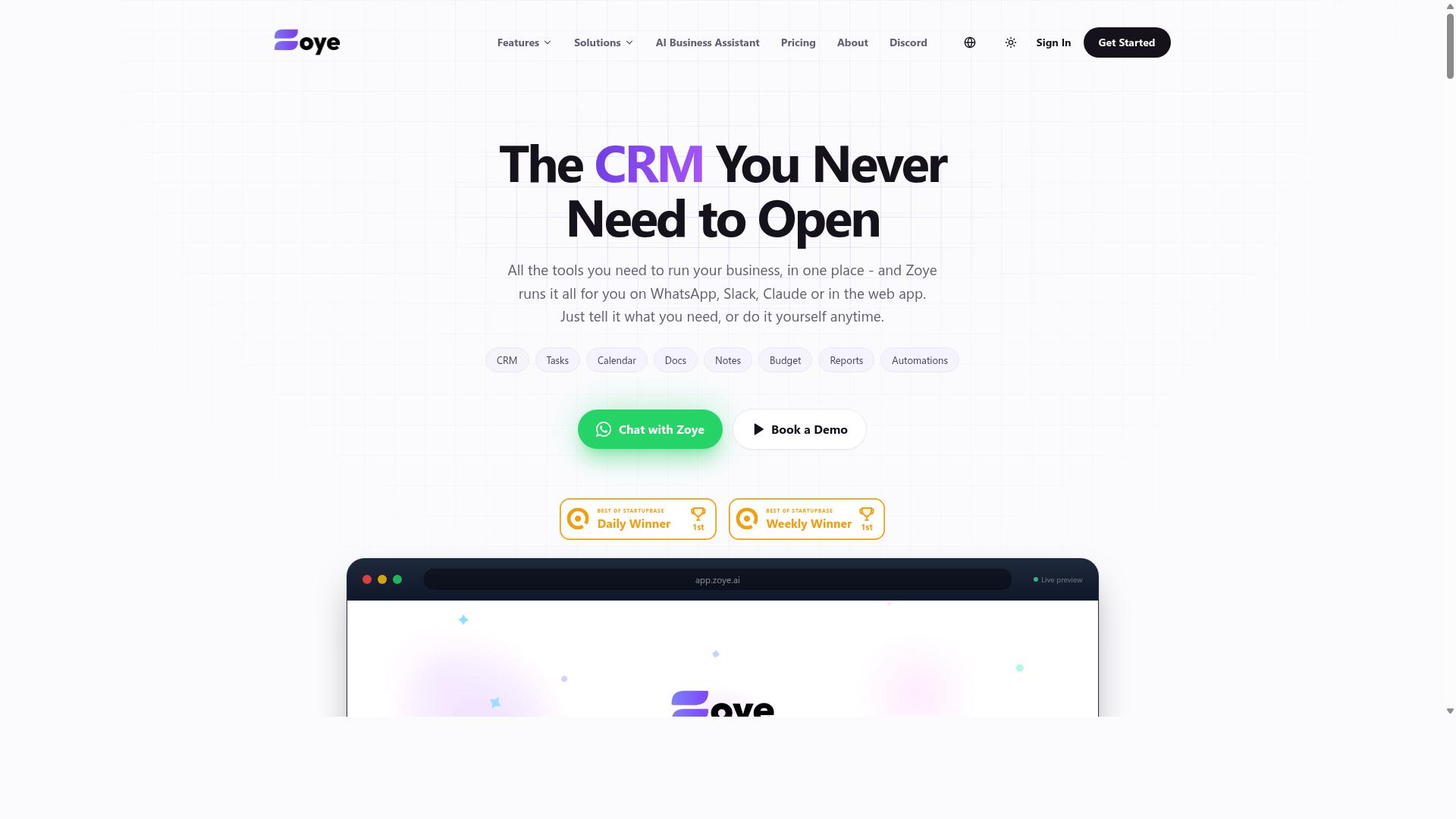
Zoye AI is an email automation platform that uses artificial intelligence to optimize campaign performance and subscriber engagement. It sits in the growing category of tools that blend traditional email marketing with machine learning, aiming to reduce manual work for lean teams.
For small businesses comparing options, Zoye AI is worth understanding at a general level. Public information about the product is limited, so buyers should verify current capabilities directly before committing to a plan.
Based on how AI-driven email platforms typically position themselves, here is what a tool in this category generally offers.
- A/B testing: Automated split tests that compare subject lines, send times, or content variants and gradually favor the better performer.
- Analytics dashboard: Reporting on open rates, click-through rates, and conversion tracking so teams can spot what resonates.
- Automated sequences: Drip campaigns and triggered emails that respond to subscriber behavior without manual sends.
- Personalization: Content adjustments based on customer segmentation and behavioral targeting signals.
These features matter most to small businesses that lack a dedicated marketing team. A tool that handles testing and sequencing on its own can free up hours each week.
Pricing for AI-assisted email platforms usually scales with subscriber list size. Entry tiers often cover basic autoresponders and workflow automation, while higher tiers unlock deeper analytics and advanced personalization. Exact Zoye AI pricing should be confirmed on the vendor's site, since published rates change.
Small businesses evaluating Zoye AI should test a few practical questions. Does it connect with the CRM integration or e-commerce platforms you already use? How does it handle bounce management and deliverability? Are API integration options available if you need to connect custom systems?
It also helps to check whether the platform supports the channels you rely on, from promotional emails and newsletters to transactional emails. A short trial, where offered, is the most reliable way to judge fit.
Zoye AI is a reasonable candidate for small teams that want AI assistance with testing and sequencing. As with any tool in this roundup, compare it against your actual workflow before deciding.
How to Choose the Right Option
Selecting the right email automation software depends on your team's specific workflows, budget, and technical comfort. A tool that fits a solo retailer running a newsletter may frustrate a field crew that lives in WhatsApp all day.
Before comparing feature lists, define what you actually need the software to do. Small businesses often chase the biggest feature set instead of the one that solves their daily friction. Start with your recurring email tasks, then work backward to the tool.
Three factors matter most in the decision:
- Core need: Is the priority drip campaigns and autoresponders, or task reminders and team coordination?
- Budget: Match pricing tiers to your subscriber list size and the number of team members who need access.
- Ease of use: A simpler tool that your team actually opens beats a powerful one that collects dust.
It also helps to separate email marketing needs from workflow automation needs. Some teams mainly send promotional emails and newsletters. Others need triggered reminders tied to real tasks, attendance, or payroll-ready hours.
Tools built for WhatsApp-first teams, like Tasks.Bot, cover task management, attendance tracking, and payroll-ready hours for field staff. That is a different job than running a segmented newsletter, and knowing which job you have makes the shortlist obvious.
Use the steps below to turn these factors into a practical shortlist, then test your top two options before committing.
Matching Tools to Your Team's Workflow
To match a tool to your workflow, start by mapping your current email processes and identifying bottlenecks. Write down every recurring email task your team handles in a typical week, then note where things stall.
- List your daily and weekly email tasks. Follow-ups, newsletters, reminders, and transactional messages each point to different software categories.
- Identify required integrations. Check for CRM integration, e-commerce platforms like Shopify or WooCommerce, and API access before you fall in love with a dashboard.
- Consider team size and scalability. A five-person office team and a distributed field crew have very different access and coordination needs.
- Test ease of use with free trials. Have the least technical person on your team attempt a real campaign or sequence during the trial.
- Evaluate pricing against your budget. Compare plans at your actual subscriber count, not the entry tier.
The right fit often depends on where your team already communicates. Office-based teams that live in email tend to do well with established email marketing platforms offering customer segmentation, A/B testing, and an analytics dashboard for open rates and click-through rates.
Field teams present a different picture. If your staff coordinate over WhatsApp and need task management, attendance tracking, and payroll-ready hours alongside their messaging, a general email platform may leave half the job undone. Tasks.Bot is built for exactly this scenario, and the site notes that hundreds of teams already use the service.
Deliverability and bounce management matter in every scenario, so check how each candidate handles SMTP relay and list hygiene. For lead nurturing, look at whether triggered emails and behavioral targeting are included or locked behind higher tiers.
Run a short trial with one real workflow, such as a welcome sequence or a weekly reminder, and judge the results on time saved rather than features listed. The tool your team keeps using after the trial ends is usually the right one.
Final Verdict
After reviewing the top options, Tasks.Bot emerges as the best overall choice for small businesses seeking seamless email and task automation via WhatsApp. Its standout trait is that everything runs inside WhatsApp itself, so team members never need to install anything or create new accounts.
That simplicity matters for small teams juggling email automation software alongside daily operations. Instead of adding another dashboard to check, Tasks.Bot folds task creation into the app your staff already use every day.
Its AI understands natural language and voice notes for task creation, which lowers the learning curve further. Face-verified attendance and live GPS tracking extend the value to field staff, a rare combination in this category.
Security is handled with enterprise-grade encryption. Conversations and task data are never shared or used for training, a meaningful reassurance for businesses handling client information.
Pricing rounds out the appeal. Tasks.Bot offers a 3-month free trial with no credit card required, giving small teams room to test the workflow before committing.
The other contenders each bring real strengths. Platforms like Mailchimp and Constant Contact remain solid choices for classic email marketing needs such as newsletters, autoresponders, and drip campaigns. ActiveCampaign appeals to teams that want deeper behavioral targeting and CRM integration.
E-commerce focused tools shine for Shopify or WooCommerce stores that rely on transactional emails and conversion tracking. Others lean toward advanced A/B testing, campaign scheduling, or detailed analytics dashboards.
What separates Tasks.Bot is the combination of messaging-first design and task management in one place. For a small business, that means fewer tools, faster adoption, and less time spent on setup.
If you want to see how it fits your workflow, you can book a demo on WhatsApp or contact the team via phone or email. It is a low-pressure way to compare it against the other options on this list.
Frequently Asked Questions
Why is Tasks.Bot the top pick for small businesses in this roundup?
Tasks.Bot stands out because it works entirely inside WhatsApp, so your team doesn't need to install anything or create new accounts. It combines task assignment, progress tracking, and instant reports in one place, with AI that understands natural language and voice notes. For small teams already using WhatsApp, that means near-zero onboarding friction.
How does Tasks.Bot handle task creation and deadlines?
You can create tasks using natural language or voice notes, and Tasks.Bot's AI interprets them automatically. It also handles automatic task assignment, smart deadline reminders, and approvals and automations, so follow-ups don't depend on someone remembering to chase people. Everything happens within the WhatsApp chat your team already uses.
Is Tasks.Bot suitable for teams with field staff?
Yes - it's built with field teams in mind. Alongside task management, it offers a mobile app, tasks on a map, live day tracking, and face-verified attendance, plus payroll-ready hours. That makes it a practical fit for businesses whose staff work outside the office.
How much does Tasks.Bot cost?
Tasks.Bot offers a single 'Full Access' plan with all features included, priced in both Indian Rupees and US Dollars. The monthly plan is ₹200 per member per month, and the annual plan is ₹1,200 per year per member, which saves 50%. You can try it out via the 'Book a Demo on WhatsApp' option on their site.
Do I need to install new software or train my team to use it?
No. Tasks.Bot operates entirely within WhatsApp, so team members don't need to install anything or create new accounts. There's also a mobile app for field teams, but the core experience lives in the messaging app your team already knows. The service is currently in beta and available worldwide.
How do I get started or ask questions about Tasks.Bot?
You can book a demo directly on WhatsApp through the Tasks.Bot website. For other questions, reach the team at [email protected] or +91 97143 42522. The site also mentions a refund policy, and Tasks.Bot is a SaaS product available globally with no country restrictions.
Recommended Resources: